


Daily Nanny
3.460.00 Reviews
App Specs
- Version
- 7.6.0
- Updated On
- License
- Free
- Downloads
- 10,000+
- Developer
- Dave Coffin
- Categories
- Communication
- Platform
- Android
Screenshots
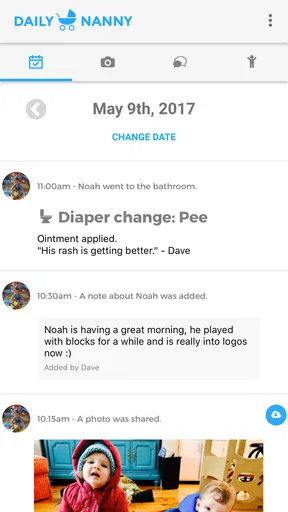
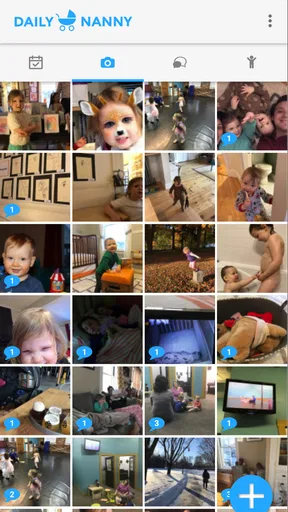
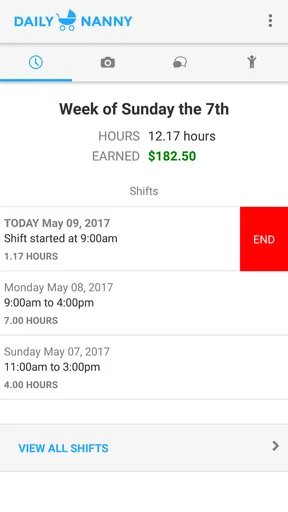
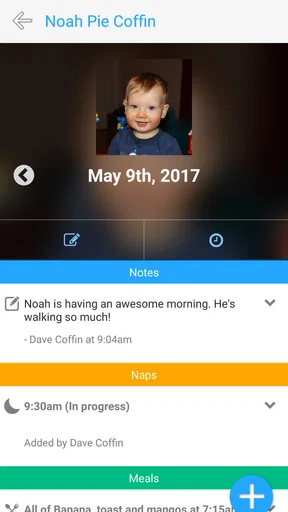
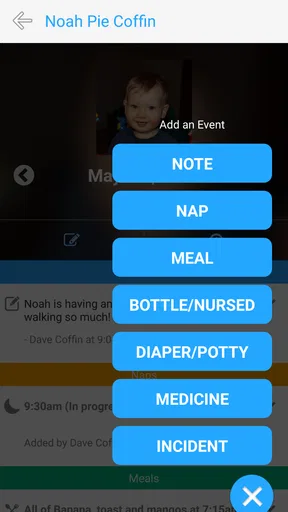
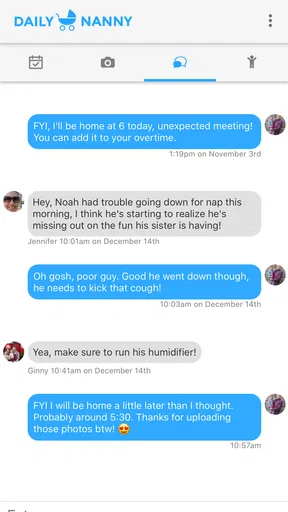
 Analysis by AppCompare
I approached Daily Nanny as a focused communication app rather than a general family organizer. Its purpose is easy to understand: it gives parents and nannies a shared place to keep in touch during the parts of the day when small details matter. That narrow purpose is also its main appeal. Instead of asking a nanny to juggle scattered messages, handwritten notes, and last-minute reminders, the app is designed around the relationship between the person caring for a child and the parent who wants to stay informed.
My overall impression is positive but measured. Daily Nanny can be useful when both sides agree to use it consistently, especially for recurring childcare arrangements where communication needs to be dependable without becoming complicated. At the same time, it is not a replacement for every family tool. Parents looking for a full calendar, medical record, payment system, or broad household dashboard may find its scope limited. The app is free to install, aimed at Everyone, and comes from developer Dave Coffin. It has reached over ten thousand installs, which gives it a small but established presence rather than the feeling of a brand-new experiment.
What Daily Nanny feels like in everyday childcare
The best way to understand this app is to imagine an ordinary weekday. A parent leaves for work while a nanny takes over the morning routine. During the day, the parent may want updates about meals, naps, outdoor time, mood, or anything unusual. The nanny, meanwhile, needs a practical way to pass along information without stopping to compose a long, perfectly written message every time. Daily Nanny is aimed at that communication gap.
In my view, the app works best when it becomes part of an agreed routine. For example, a nanny could use it to keep the parent informed at natural checkpoints rather than sending a stream of interruptions. A short update after lunch, a note about a changed nap, and a final handover message can create a useful daily record. The value is not just in sending one message; it is in giving both people a shared communication habit.
That distinction matters because childcare communication is often less about dramatic events and more about context. A child who eats less than usual may simply be tired, or it may be something the parent wants to watch. A late nap can affect bedtime. A minor bump may deserve a clear explanation even when no urgent action is needed. A dedicated app can help keep those details associated with the childcare relationship instead of burying them among unrelated personal messages.
I would not describe Daily Nanny as a social app or a broad messaging platform. Its usefulness depends on the specific parent-and-nanny connection. If you only need occasional contact, a familiar messenger may feel faster. If childcare happens every day and several details need to be passed between adults, a dedicated channel can feel more orderly.
Who is likely to benefit most
This app makes the most sense for parents who have a regular nanny and want a simple communication space that stays focused on childcare. It can also suit a nanny working with a family that prefers consistent updates rather than a mixture of texts, calls, and paper notes. The arrangement does not need to be formal or large; the important factor is that both people are willing to use the same place for daily information.
Worth Reading Before You Choose

EA SPORTS FC Mobile 26 Is a Bigger Football Game, but It Takes Time

Flipboard Shows What News Apps Must Do Beyond the Feed

Switching to Android Auto Means Rethinking Your Driving Routine

Google Calendar Makes a Crowded Week Easier to Manage

Ludo King Makes the Most of the Minutes Between Plans

Baby Panda World Brings Quick Play to Modern Phones, but Its Game Library Feels Busy
It may be especially helpful during transitions. A new nanny often needs time to learn a child’s routines, while parents need reassurance that important preferences are being understood. A shared communication process makes it easier to notice patterns and clarify expectations. I would still treat the app as a supplement to a proper conversation at the start of a job, not as a substitute for discussing allergies, emergency contacts, authorized pickups, and household rules directly.
Families who rotate between several caregivers should think more carefully before committing. A tool built around parent-and-nanny communication can become less convenient when grandparents, babysitters, relatives, and backup carers all need access. In that situation, a broader family organizer may be a better fit, provided it offers the controls and privacy choices the household needs.
How it compares with ordinary messaging
The obvious alternative is a standard messaging app. Those services are familiar, quick, and usually already installed, so they win when the only requirement is sending a question or receiving an urgent reply. They are also better for conversations that involve several unrelated people or that need voice and video communication as part of a wider routine.
Daily Nanny has a different advantage: focus. A parent checking childcare information should not have to search through conversations about shopping, work, or family plans. A dedicated channel can reduce that mental sorting. The trade-off is that every participant must adopt another app and remember to check it. That extra step is small when updates are frequent, but it can become annoying if one person continues to rely on ordinary texts.
Compared with a full childcare management platform, Daily Nanny appears more approachable because its central idea is communication rather than administration. A larger service may be better for schedules, payments, attendance, records, and multiple caregivers. The smaller scope can be a strength for someone who wants less setup, but it also means the app should not be judged as though it were a complete household operating system.
Trust begins with clear expectations
Because childcare information can be sensitive, I would not install any communication app casually and assume that the technology itself creates trust. Trust comes from knowing who is included, what information is being shared, and how the app fits into the family’s existing safety routine. Daily Nanny can support that process, but the adults still need to agree on boundaries before using it.
For example, parents and nannies should decide whether the app is for routine updates only or also for urgent situations. They should establish which events require a phone call, whether photos are appropriate, and how quickly messages are expected to be read. These choices are more important than sending frequent updates for their own sake. A communication tool is helpful only when everyone understands what it is supposed to do.
I also recommend keeping particularly sensitive information limited to what is necessary. Childcare conversations can easily drift into full names, locations, medical details, travel plans, or information about other family members. A sensible workflow is to share the immediate detail needed for care and discuss highly sensitive matters through the channel the family already trusts for them. Good communication is not the same as maximum disclosure.
Controls, account habits, and visible choices
When I evaluate an app in this category, I pay attention to the choices users can see and manage rather than assuming that a dedicated purpose guarantees strong privacy. Daily Nanny should be treated as a communication space whose safety depends partly on account discipline. Parents and nannies need to know which account belongs to whom, who can participate, and whether an old caregiver should still have access after the arrangement ends.
That last point is easy to overlook. When a childcare job finishes, removing the former caregiver from the communication arrangement should be part of the household’s closing routine. The same applies when a phone is replaced, a shared device changes hands, or a family stops using the app. I would review the app’s visible account and participation controls during setup instead of waiting until a problem appears. If a choice is unclear, that is a reason to pause and clarify the workflow, not to guess.
The developer is Dave Coffin, and the app is currently at version 7.6.0. Those details make it sensible to check the current in-app experience after installation, particularly if you are moving from an older version or inviting another person. Version labels can change how screens are arranged, so I would not rely on an old tutorial or a friend’s memory when deciding where account options are located.
Daily Nanny is free to download, but it includes in-app purchases ranging from $4.99 to $39.99 per item. That is worth considering before a household builds its entire routine around the service. I would look carefully at what any optional purchase changes and whether both sides need the same access. A free starting point is convenient, but a family should understand the cost of any feature it considers essential rather than discovering that requirement after the workflow is established.
Handling information during a busy day
The most sensitive moments are usually not dramatic. They are the rushed moments when someone sends a message from a noisy playground, while preparing food, or during a difficult bedtime. In those situations, short and precise updates are safer and more useful than vague reassurance. Instead of writing that everything is fine, a caregiver can describe the relevant event plainly and say what action was taken. That gives the parent enough context without turning every message into a long report.
A practical routine is to separate observation from interpretation. A nanny might record that a child did not finish lunch, rested later than usual, or seemed quieter during an activity. The parent can then decide whether the detail is part of a pattern. This approach avoids unnecessarily alarming language while still preserving information that may matter later. It also makes the app more useful as a communication record rather than a stream of emotional reactions.
I would be cautious about treating any app message as an emergency alert. If a child is injured, seriously unwell, missing, or in immediate danger, the correct response is direct emergency communication and appropriate local help, not waiting for a notification to be noticed. Daily Nanny is better suited to routine coordination and timely updates than to situations where a delayed read could have serious consequences.
Photos deserve the same care. A picture can reassure a parent, but it can also reveal a child’s location, other children, household details, or a daily pattern. Before sharing images, the adults should agree on whether photos are wanted and where they may be stored or viewed. I would avoid sending images that reveal more than the update requires, especially when a simple written note would do the job.
Making the app work without creating more work
The best workflow I can suggest is to define a small set of update moments. A morning handover can cover changes to the plan. A midday note can mention food, rest, and mood. An end-of-day message can summarize anything the parent should know before returning home. This structure prevents the nanny from feeling required to narrate every minute and gives the parent predictable points at which to check in.
Another useful habit is to write messages for the next reader, not just for the moment they are sent. Include enough context to make the update understandable later: what happened, when it happened in relation to the routine, and whether anything needs follow-up. Avoid strings of disconnected one-line messages when a single concise summary would be clearer. This is one of the less obvious benefits of using a dedicated childcare channel: it encourages communication that can be revisited without reconstructing the entire day.
Parents can help by responding to the information they actually need. If every minor update receives a long list of new questions, the nanny may begin delaying messages until there is time to answer everything. A better approach is to acknowledge routine notes quickly and reserve detailed questions for a planned conversation. The app then supports the relationship instead of becoming another task list.
Nannies should also feel able to state when the app is inconvenient during active care. A caregiver supervising a child should not be expected to type continuously. Brief notes made at safe pauses are more realistic than constant reporting. Parents who want minute-by-minute visibility may need to reconsider whether that expectation is fair or useful; no communication app can remove the need for judgment and attention in the room.
Where the experience may feel limited
The main limitation is the app’s specialized nature. Daily Nanny is appealing precisely because it concentrates on parent-and-nanny contact, but that concentration may leave gaps for households wanting a larger set of planning tools. If your main problem is coordinating school pickups, multiple calendars, recurring payments, medication schedules, or a large caregiver group, compare it with a broader childcare organizer before deciding.
There is also a social limitation: the app only works well when both sides participate. One person cannot create a reliable shared record if the other person rarely opens the app. This is different from a private notes tool, where the owner controls the whole workflow. Before expecting consistent updates, agree on when messages will be checked and what happens if the app is temporarily unavailable.
The average rating is 3.4 from around 131 ratings, with about 60 written reviews. I read that as a reason to approach the app with realistic expectations rather than as a decisive verdict. A rating in that range suggests that the experience may not be equally smooth for every household, and communication apps are particularly sensitive to device setup, user habits, and the cooperation of the other participant. I would test the complete routine with a trusted caregiver before making it the only way to exchange important information.
The app has been available since September 5, 2017, and supports Android 7.0 or later. That broad minimum requirement makes it accessible on many older Android devices, which can matter for a nanny who does not use a recent phone. Still, compatibility is only one part of the decision. The more important test is whether both users can comfortably read, send, and manage messages on their actual devices and whether the app fits their daily habits.
Who should choose another solution
I would skip Daily Nanny if you need a communication system for a large organization, a school, or a rotating team with complex permissions. Its childcare-specific focus is not automatically an advantage when the real need is project coordination or formal recordkeeping. I would also look elsewhere if your family requires a single platform for scheduling, billing, attendance, and detailed child records.
A standard messenger may be better for a parent who communicates with a nanny only a few times each week and already has a trusted, private conversation channel. A full family organizer may be better when several relatives and caregivers need shared access. A phone call may be better when an issue is urgent or emotionally complicated. The right choice depends less on the app’s category than on the communication problem you are actually trying to solve.
On the other hand, I would recommend giving Daily Nanny a fair trial when the household wants a dedicated place for recurring updates and does not need an elaborate administrative system. The free entry point lowers the risk of testing it, while the Everyone content rating makes it broadly suitable from an age-classification perspective. Just remember that suitability for Everyone does not mean every kind of family information should be placed there without thought.
My cautious recommendation
Daily Nanny is a sensible niche communication app for a specific relationship. I like the idea of keeping daily childcare updates separate from the noise of ordinary messaging, and I think its focused purpose can make routines easier when parents and nannies agree on how to use it. The strongest results will come from short, well-timed notes, clear expectations, and regular attention to who still has access.
I would not present it as a complete childcare management solution or as an emergency system. Its value is quieter and more practical: it can help two adults exchange the details that make a day easier to understand. Before relying on it, I would test a normal week, review the visible account choices, discuss photo and sensitive-information boundaries, and confirm what happens when a caregiver leaves the arrangement.
My recommendation is therefore conditional but genuine. If your household needs a simple, dedicated communication channel between a parent and a nanny, Daily Nanny is worth trying. If you need broad family coordination, formal records, or guaranteed urgent contact, choose a tool built for those jobs instead. The app is most trustworthy when it supports clear human agreements rather than pretending to replace them.
Pros
- Simple daily planning for childcare routines and tasks.
- Helpful reminders for feeding
- naps
- medication
- and activities.
- Makes it easier to share updates with parents or other caregivers.
- Keeps important notes and schedules organized in one place.
- Useful for maintaining consistent routines across multiple caregivers.
Cons
- Some features may require extra setup before they become useful.
- Reminder notifications can be missed if permissions are disabled.
- May feel unnecessary for families with simple childcare routines.
- Shared information may need manual updates to stay accurate.
- Privacy settings should be checked before entering sensitive child details.
FAQs for Daily Nanny
What is Daily Nanny and who is it designed for?
Daily Nanny is a childcare management app designed to help parents, guardians, and caregivers organize a child’s daily routine in one place. Depending on the available features, it can be used to record schedules, meals, naps, activities, appointments, notes, and other important details. It is particularly useful for families who want to keep childcare information organized and easy to share.
Can Daily Nanny be used by multiple caregivers or family members?
Daily Nanny is intended to make communication between parents and caregivers more convenient, although the exact collaboration options may depend on the app version and account setup. Before downloading, check whether it supports multiple users, shared profiles, invitations, or synchronized records. These features are especially important for families coordinating care between parents, grandparents, babysitters, and daycare providers.
Does Daily Nanny require an internet connection to work?
Some functions in Daily Nanny may work without a constant internet connection, such as viewing information already stored on the device or entering certain notes. However, features involving account synchronization, backups, sharing, notifications, or updates generally require mobile data or Wi-Fi. If you plan to use the app while traveling or in areas with limited connectivity, review its offline capabilities before relying on it.
Is Daily Nanny safe for storing children’s personal information?
Because a childcare app may contain sensitive information about children, parents should review Daily Nanny’s privacy policy and permission requests before creating an account. Pay attention to how data is collected, stored, synchronized, and shared with third parties. Avoid entering unnecessary medical or identifying details unless the app provides appropriate security controls, and use a strong password when the service supports one.
Is Daily Nanny free to download, and are there any extra costs?
Daily Nanny may be available as a free download, but some features could require in-app purchases, a subscription, or a premium account. Possible paid functions may include expanded storage, additional child profiles, advanced reports, cloud synchronization, or collaboration tools. Check the current listing in the Google Play Store or Apple App Store for pricing, trial conditions, and renewal details before downloading.


